
IPTV subscription UK: what £24.99 actually gets you
A UK IPTV subscription costs roughly what a single premium add-on costs on a traditional TV package. That gap is large enough to make people suspicious — and reasonably so. This guide sets out plainly what you are actually buying, what is genuinely not included, what it replaces in your household and what it does not, and how the arithmetic compares with a typical British TV bill. No sales pitch, just the components.
First, what you are actually buying
This trips up more people than anything else, so it is worth being blunt: an IPTV subscription is not a product that arrives in the post. Nothing is delivered, no engineer visits, no dish goes on the wall.
What you receive is a set of access credentials — typically a server address, a username and a password. You enter them into an app on a device you already own, and your channels and on-demand library appear.
That is the whole mechanism. It is the same one your broadband provider uses to deliver television down the same line, which is why the technology itself raises no eyebrows.
The practical consequence is that the cost structure is completely different from traditional television. There is no hardware to subsidise, no installation network, no physical infrastructure to your street. What you are paying for is server capacity and the right to use it — which is why the numbers look the way they do.
What is included
Component by component:
- Live channels — a large catalogue covering UK terrestrial and satellite channels, plus European and international channels, across news, entertainment, documentary, children's programming and sport.
- An on-demand library of films and series, browsable like any streaming platform, and typically far larger than any single platform's own catalogue.
- 4K, Full HD and HD delivery, at no extra charge, according to the resolution each channel is actually broadcast in.
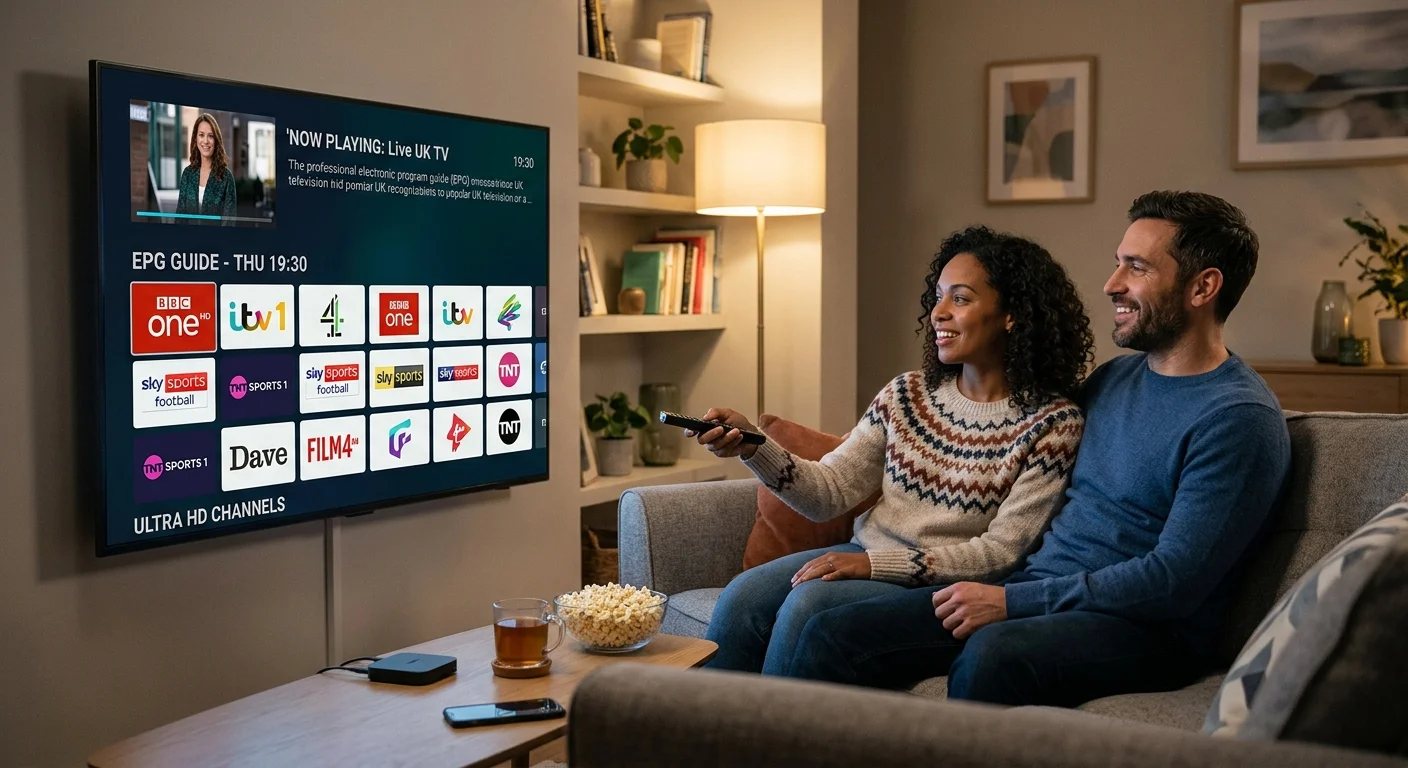
- An electronic programme guide (EPG) — the now-and-next grid. Easy to overlook when comparing services, and the thing you interact with every single evening.
- A set number of simultaneous connections, which determines how many screens can play at once.
- Customer support, which in this market genuinely varies and is worth weighing.
- Access on every device you own — smart TV, streaming stick, box, phone, tablet, computer — on one subscription.
What is not included — and nobody says so
Being clear here is more useful than another list of benefits.
Your broadband. You provide and pay for the connection. Roughly 8 to 15 Mbps of stable throughput per screen for Full HD, and 25 Mbps or more for 4K. Stability matters far more than the headline figure: a steady 25 Mbps outperforms an erratic 200 Mbps.
Hardware. No box, no stick, no television. Almost everyone already owns something suitable — around 2 GB of memory and hardware decoding for high-resolution channels is the entire requirement. If in doubt, the devices page lists what works.
A TV Licence. Required in the UK to watch or record live television on any device, however the signal reaches it. That does not change with IPTV, and no provider can include it.
Exclusive streaming originals. The productions each major platform makes for itself are not part of any IPTV catalogue. If one specific series matters to someone in your house, keep that subscription.
What it realistically replaces
For most households the honest answer is: most of it, but not all.
If your viewing is mainly live television plus films and boxsets, an IPTV subscription covers the great majority of it — and adds live channels that streaming platforms do not offer at all.
The realistic end state is not zero other subscriptions. It is one IPTV subscription, plus perhaps one platform you genuinely use, instead of a TV package and three or four streaming services you half-use. Even that halfway version usually saves a substantial amount while adding live TV back into the mix.
And your aerial keeps working. Freeview is unaffected and runs independently. Many households keep both, at least at first, which is also the safest way to switch.
The arithmetic
A typical UK pay-TV package with sport and film add-ons runs £60 or more a month — around £720 a year — usually on a contract with a built-in annual rise.
An IPTV subscription starts around £24.99, with annual plans bringing the monthly equivalent down to roughly £4.17, or about £50 a year.
The difference is comfortably over £600 annually, for a catalogue that is larger rather than smaller.
Worth doing once: count the channels you actually watched last month. Most people land between eight and fifteen. Divide your current monthly bill by that number, and you have the real cost of your viewing.
Why cheaper is not automatically better
If the market sits around £25 and something is offered at £4 for the same claimed catalogue, the difference has to come from somewhere. It is almost always server capacity — invisible on a Tuesday afternoon, painfully obvious on a Saturday evening when everyone is watching at once. Our guide to testing a service before you pay covers how to check this in a single evening.
How plans are structured
Two variables, and only two.
Duration
Three, six or twelve months. Longer plans cost less per month. Shorter plans cost more per month and buy you the ability to leave — which, in this market, is worth the difference.
Start short. Confirm the service across two or three weekends before committing to a year.
Simultaneous connections
This is the one people misunderstand. You can generally install your credentials on as many devices as you own. What the plan limits is how many play at the same moment.
One important detail: an app left running in the background still occupies a connection, even with the television switched off. It is the leading cause of unexplained "no connection available" messages in multi-device homes. Closing the app properly rather than just turning off the screen avoids it entirely.
For a single main television, one connection is usually plenty. For a household where several people watch different things at once, count the screens that realistically run simultaneously on a busy evening.
From payment to picture: about five minutes
There is no waiting-in, no delivery and no installation date.
- Choose a plan — duration and number of simultaneous connections.
- Pay. Credentials normally arrive by email and WhatsApp within a few minutes.
- Install a player app on your television, box or stick.
- Enter your details. If offered both an Xtream login and an M3U link, take the Xtream option — categories organise themselves and the on-demand library appears as a proper browsable collection rather than thousands of entries dumped into one list.
- Set up your favourites. Ten minutes adding the channels you actually watch and hiding the rest.
That last step is the one everyone skips and the one that decides whether the setup is still being used in six months. A list you can navigate in two button presses gets used; an endless scroll does not.
And one piece of advice worth more than any setting: connect your main television with an Ethernet cable if you possibly can. It removes an entire category of problems before they occur.
Five things to check before you pay
- Is the price within the normal market range? Dramatically below it means something has been cut.
- Are Xtream login details offered, not just an M3U link?
- How many simultaneous connections does the plan include? Ask if it is not stated.
- Do the legal pages exist — terms, refund policy, contact details? Their absence means nobody wrote anything down.
- Can you pay by card? Card payments leave you a route back through chargeback. Bank transfer and cryptocurrency do not, by design.
One claim should end the conversation on the spot: "every channel in 4K". A channel can only be delivered in the resolution it was produced in, and most broadcasters still transmit in Full HD or below. It is not an exaggeration — it is impossible, and it tells you what else the provider is willing to say.
What happens at the end
A subscription runs for the period purchased and then expires. No automatic renewal, no exit fee, nothing to cancel.
If you want to continue, place a new order before your expiry date — renewing early normally extends your existing credentials without touching your setup, whereas letting it lapse can mean configuring your device again. Putting the expiry date in your calendar with a reminder ten days ahead removes the most predictable annoyance in the whole arrangement.
If something does not work as described, the refund policy sets out what is covered and how to claim.
The legal position, briefly
Two questions get merged constantly. The technology is legal — IPTV is a delivery method, the same one mainstream broadband television services use. The question that matters concerns content and the broadcasting rights attached to it, negotiated territory by territory.
Separately, a TV Licence is required to watch or record live television in the UK on any device. It remains each user's responsibility to ensure they hold the necessary rights to access content in their country of residence.
In short
You are buying credentials and server capacity, not hardware. Included: live channels, a large on-demand library, 4K where the source allows, a programme guide, a set number of simultaneous connections and support. Not included: your broadband, your device, your TV Licence, and platform exclusives.
Cost: around £25 to start, roughly £4 a month on an annual plan, against £60 or more for a traditional package. Start short, test properly, and put the renewal date in your calendar.
Our other IPTV guides go further into setup and troubleshooting.
Frequently asked questions
Access credentials that unlock live channels and an on-demand library of films and series, an electronic programme guide, delivery in 4K, Full HD or HD depending on the source, a set number of simultaneous connections, and customer support. No hardware is included, because none is needed.
Almost certainly not. A smart TV from the last few years, a Fire TV Stick or an Android box will all run an IPTV player. Your device needs about 2 GB of memory, hardware decoding for high-resolution channels, and a stable connection. That is the entire requirement.
It does not include your broadband connection, any hardware, a TV Licence, or the exclusive original productions that individual streaming platforms make for themselves. Everything else — live channels and a large on-demand catalogue — is covered.
The UK market sits broadly around £25 for a starter plan. Longer subscriptions bring the monthly equivalent down considerably, often to roughly £4 per month on an annual plan. Prices dramatically below the market usually mean reduced server capacity.
You can usually install your credentials on as many devices as you own. What the plan limits is how many can play at the same moment. An app left running in the background still occupies a connection even with the television switched off.
No. A subscription runs for the period purchased and then simply expires. There is no minimum term beyond that period, no automatic renewal and no exit fee. To continue, you place a new order before your expiry date.